According to Pushpay’s 2024 State of Church Technology report, 91% of churches now livestream worship, and 62% see it as vital for their future—a 42% rise from last year. 27% of American people now watch church services from their living rooms, hospital beds, and workplaces every single week.
This shift has made live streaming a must-have for churches of all sizes. But with dozens of live streaming software options out there, picking the right one can feel confusing. Many church leaders don’t have tech backgrounds, and the choices seem endless.
Choosing the wrong software leads to real headaches. Blurry video, choppy audio, and dropped streams can frustrate your online congregation. Some members might stop tuning in altogether. Plus, paying for features you don’t need wastes your church’s budget. The stakes are high because your message matters too much for technical problems to get in the way.
So, what are the best live streaming software options for churches?
Top picks include Castr, Restream, StreamYard, OBS Studio, BoxCast and more. Each one offers different features, price points, and ease of use. Some work great for small churches with tight budgets, while others fit larger congregations with complex setups.
This guide compares the 10 best live streaming software options for churches, including Castr, Restream, StreamYard, OBS Studio, and more. We’ll cover the features that matter most for ministry, break down pricing, and help you find the perfect fit.
What to Look for in Church Live Streaming Software
Before diving into specific platforms, let’s establish what actually matters when choosing streaming software for your church. Not all features carry equal weight for religious organizations, and understanding these criteria will help you make a confident decision that serves your congregation well.
Here are the essential features your church streaming platform should offer:
- Reliability and Uptime: Streaming stability is non-negotiable for church services. When 200 members tune in for Sunday worship, you need confidence that the stream won’t buffer or drop. Look for platforms with 99.9% uptime guarantees and multi-CDN infrastructure that automatically routes around network issues. A platform using multiple content delivery networks (like Akamai, Fastly, and CloudFront) provides redundancy that single-CDN services can’t match.
- Multistreaming Capability: Your congregation isn’t all in one place online. Some watch on Facebook, others prefer YouTube, and many visit your church website directly. Multi-platform streaming (also called simulcasting) lets you broadcast to Facebook Live, YouTube Live, and your website simultaneously from a single stream source. This saves time and maximizes your reach without requiring separate broadcasts for each platform.
- Ease of Use: Most churches rely on volunteer media teams rather than professional broadcasters. Your streaming software should be user-friendly enough that someone with basic computer skills can manage a broadcast. Browser-based options eliminate software installation headaches, while clear interfaces reduce training time for new volunteers.
- Recording and Video on Demand: Sermons shouldn’t disappear after the live broadcast ends. Cloud recording automatically saves your streams so members can watch later. This creates a sermon archive that serves homebound members, lets visitors catch up on recent messages, and builds a library of content your ministry can repurpose.
- Monetization and Donation Tools: Churches need ways to accept tithes and offerings from online viewers. Some platforms include built-in donation buttons, paywall features for special events, or integration with giving platforms. This functionality helps maintain financial support from members who primarily attend online.
- Transparent Pricing: Church budgets are carefully managed. Hidden fees, bandwidth overages, and surprise charges create problems for finance committees. Look for platforms with clear, predictable monthly pricing that won’t fluctuate based on viewer counts or streaming hours.
- Customer Support: When something goes wrong five minutes before service starts, you need help fast. Evaluate support options carefully—email-only support with 24-hour response times won’t cut it for live church broadcasts. Platforms offering real-time support via chat, Slack, or phone provide peace of mind.
- Scalability: Your streaming needs today may differ from your needs next year. A platform should grow with your ministry, handling everything from small group Bible studies to large conferences without requiring you to switch providers or dramatically increase costs.
With these criteria in mind, let’s examine how the top church streaming platforms compare.
10 Best Live Streaming Software for Churches Compared
We evaluated each platform against the criteria above, considering real-world church use cases, pricing accessibility, and the specific needs of religious organizations. Here’s a quick reference before we examine each option in detail:
| Software | Best For | Starting Price | Multistreaming | Recording | Key Limitation |
|---|---|---|---|---|---|
| Castr | Best Overall | $12.5/month | ✅ 30+ platforms | ✅ Cloud | No free tier |
| Restream | Multi-platform Simulcasting | Free (limited) | ✅ 30+ platforms | ✅ Paid plans | Watermarks on free |
| StreamYard | Beginners | Free (limited) | ✅ Limited on free | ✅ Paid plans | Branding limitations |
| OBS Studio | Free Software Option | Free | ❌ Single destination | ✅ Local only | Technical setup required |
| BoxCast | Large Churches | $154/month | ✅ Yes | ✅ Cloud | Premium pricing |
| Vimeo Livestream | Video Hosting Integration | $12/month | ⚠️ Limited | ✅ Cloud | Higher cost |
| Facebook Live | Free Social Option | Free | ❌ — | ✅ Platform archive | Single platform only |
| YouTube Live | Discoverability and Archive | Free | ❌ — | ✅ Automatic archive | Single platform only |
| Dacast | Monetization-Focused Churches | $39/month + bandwidth | ✅ Yes | ✅ Cloud | Bandwidth-based pricing |
| Wirecast | Professional Production Software | $79/month | ❌ Requires service | ✅ Professional tools | High learning curve |
Now let’s look at each platform in detail.
1. Castr — Best Overall Church Streaming Software
Castr is a professional live streaming platform built for broadcasters who need enterprise-grade reliability without enterprise-level complexity. For churches specifically, Castr addresses the core challenge that plagues many streaming setups: the anxiety of wondering whether your technology will work when it matters most. With infrastructure spanning 40+ global ingest points and partnerships with leading CDN providers, including Akamai, Fastly, and CloudFront, Castr delivers the kind of streaming stability that lets media teams focus on ministry rather than troubleshooting.
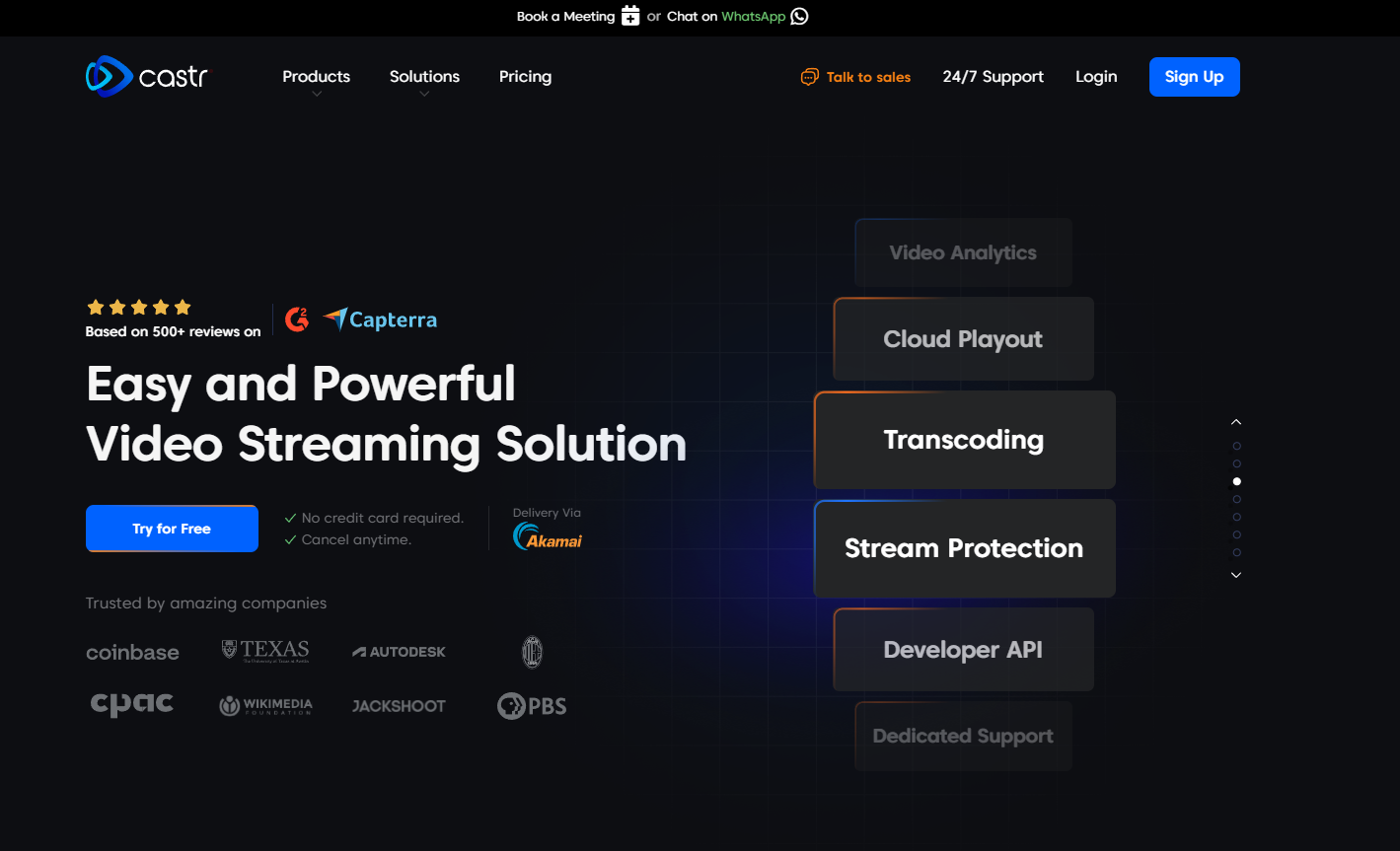
What sets Castr apart from church streaming is its combination of professional features with genuinely accessible pricing and support. While other platforms may offer similar feature lists, Castr’s execution stands out—particularly its 24/7 customer support available through Slack and WhatsApp, channels that feel natural for quick questions during service preparation.
Key Features for Churches:
- 99.9% Uptime Guarantee: Multi-CDN infrastructure automatically routes around network problems, so your Easter Sunday broadcast won’t fail because of a single point of failure.
- Multistreaming to 30+ Platforms: Broadcast simultaneously to your Facebook page, YouTube channel, church website, and any other RTMP-compatible destination from one stream.
- Cloud Recording: Every stream can be automatically recorded and stored for on-demand access, building your sermon archive without extra steps.
- Beginner-Friendly Interface: No technical expertise required. Volunteer media teams can manage broadcasts with minimal training.
- RTMP and SRT Support: Connect any encoder, from OBS to hardware devices, using industry-standard protocols.
- Embed Player: Professional video player for your church website with customizable branding and adaptive bitrate streaming.
- Monetization Tools: Accept donations and create paywalled content for special events or conferences.
Why Churches Choose Castr:
Churches appreciate that Castr eliminates common streaming headaches. The platform handles technical complexity behind the scenes—adaptive bitrate ensures viewers with slow connections still receive watchable video, while those with fast connections get full HD quality. This matters when your congregation includes both tech-savvy young adults and grandparents watching on older devices.
The transparent pricing model resonates with church administrators who need predictable costs for budget planning. Unlike platforms that charge based on bandwidth or viewer hours, Castr’s plans clearly state what you get without surprise fees appearing later.
Pricing:
- Starter: $12.5/month
- Standard: $33.5/month
- Professional: $62.5/month
- Premium: $104.5/month
- Ultra: $250/month
- Enterprise: Custom pricing for large organizations with specific needs
Pros:
- 99.9% uptime backed by multi-CDN infrastructure
- Stream to 30+ platforms simultaneously
- Cloud recording is included at all tiers
- 24/7 support via Slack and WhatsApp
- Transparent pricing with no hidden fees
- Easy setup for non-technical users
Cons:
- No free tier (though a 7-day free trial is available)
- Advanced analytics is reserved for higher tiers
- Some advanced features have a learning curve
Verdict: Castr earns the top spot by delivering professional-grade streaming reliability at prices churches can actually afford. It’s the platform we recommend for churches serious about online ministry but practical about budgets.
Try Castr free for 7 days and see why thousands of churches trust it for their most important broadcasts.
2. Restream — Best for Multi-Platform Simulcasting
Restream built its reputation on one core promise: stream everywhere at once. For churches looking to reach viewers across Facebook, YouTube, Twitch, LinkedIn, and dozens of other platforms simultaneously, Restream delivers robust multistreaming capabilities. The platform offers a browser-based studio, Restream Studio, that handles basic production needs without requiring separate encoding software, making it accessible to teams without technical backgrounds.
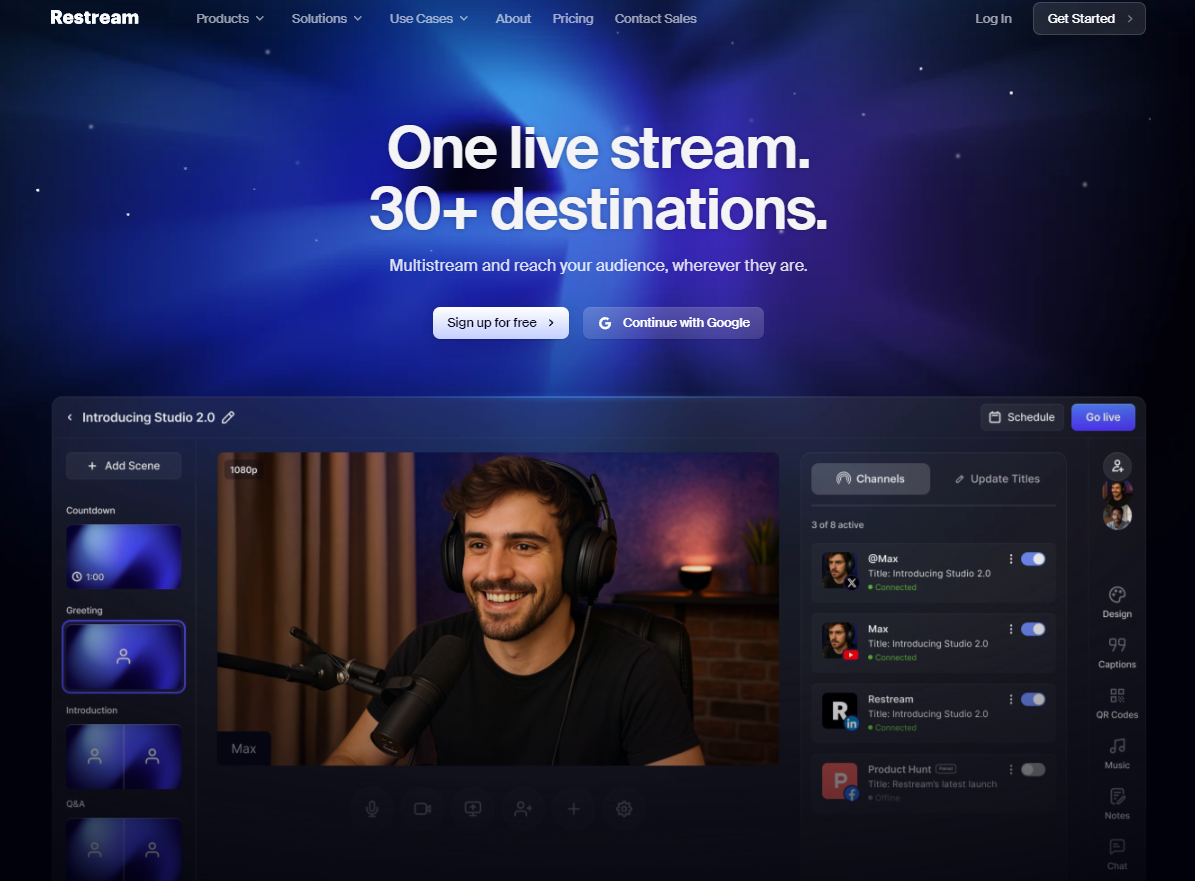
The platform aggregates chat from all connected platforms into a single interface, letting your team interact with viewers regardless of where they’re watching. This feature proves particularly valuable during interactive services or Q&A sessions where engagement matters.
Key Features:
- Multistreaming to 30+ destinations
- Browser-based Restream Studio for basic production
- Unified chat aggregation across platforms
- Free tier available (with limitations)
- Scheduled streaming for pre-recorded content
Pricing:
- Free: 2 channels, Restream watermark, limited features
- Standard: $16/month – 3 channels, no watermark
- Professional: $39/month – 5 channels, recording, analytics
- Business: $199/month- 8 channels
Pros:
- Excellent multistreaming with broad platform support
- Free tier lets churches test before committing
- Chat aggregation simplifies viewer interaction
- Browser-based studio requires no downloads
Cons:
- Watermark on the free tier looks unprofessional
- Less robust infrastructure than Castr
- Cloud recording is only available on higher-priced plans
- Support options are limited compared to Castr’s 24/7 availability
Verdict: Restream works well for budget-conscious churches prioritizing reach over reliability. The free tier allows experimentation, but growing ministries may find themselves needing the stability and support that platforms like Castr provide.
3. StreamYard — Best Browser-Based Option for Beginners
StreamYard removes virtually every technical barrier from live streaming. Everything runs in your web browser—no software downloads, no encoder configuration, no RTMP keys to copy and paste. For churches with volunteer media teams who rotate frequently or lack technical training, this simplicity has real value. Someone can learn the basics of StreamYard in an hour and run a professional-looking broadcast.
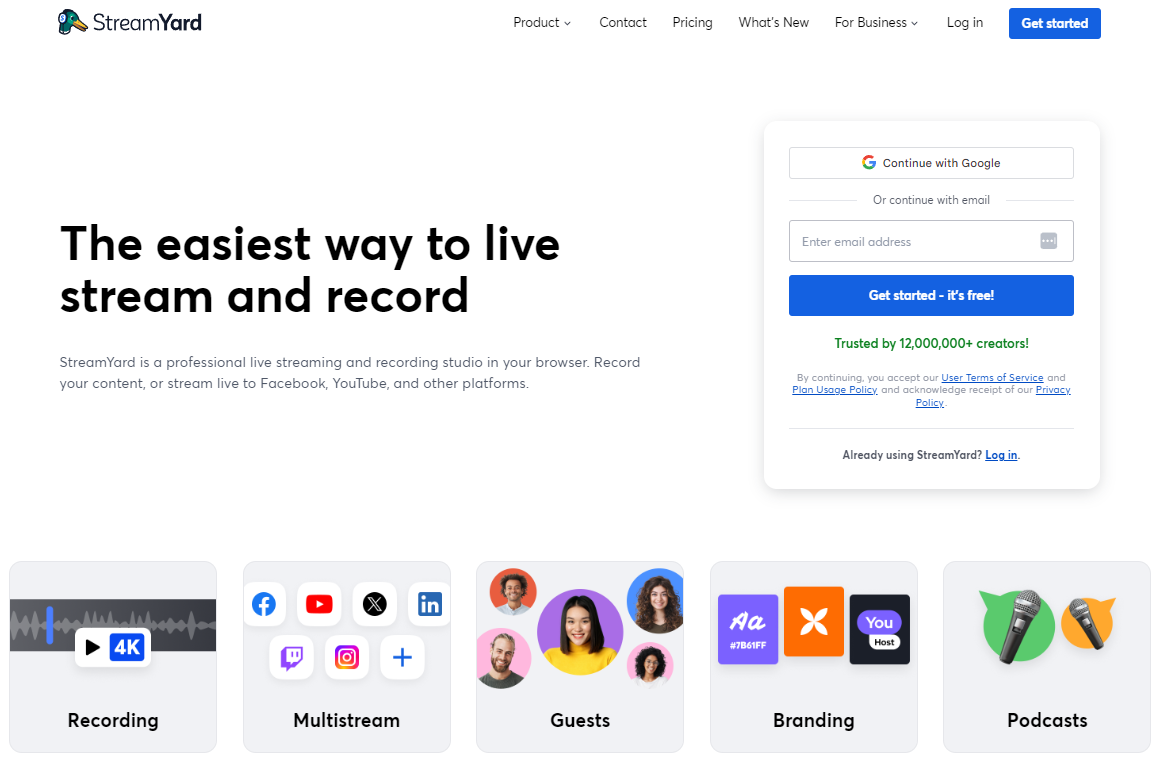
The platform excels at bringing remote guests into your stream with a simple link. If your pastor is traveling or you want to feature a missionary overseas, they can join your broadcast from their laptop without installing anything. On-screen graphics, lower thirds, and branded overlays add polish without requiring video editing skills.
Key Features:
- 100% browser-based—nothing to download
- Guest invites via a simple shareable link
- Built-in lower thirds, graphics, and overlays
- Screen sharing for presentation slides
- Multistreaming (limited on lower tiers)
Pricing:
- Free: StreamYard branding, one destination
- Core: $44.99/month – No branding, multiple destinations
- Advanced: $88.99/month – Full recording, more customization
Pros:
- Extremely easy for beginners—minimal learning curve
- Guest features perfect for remote speakers
- Professional graphics without design skills
- Works on any computer with a browser
Cons:
- StreamYard branding on the free tier
- Multistreaming is limited on lower plans
- Less control than dedicated streaming platforms
- Video quality ceiling is lower than professional solutions
Verdict: StreamYard is ideal for small churches starting their streaming journey. The simplicity genuinely helps teams get up and running fast. However, churches that grow their streaming program often graduate to more capable platforms like Castr for advanced features and better reliability.
4. OBS Studio — Best Free Option (Software Only)
OBS Studio (Open Broadcaster Software) deserves a spot on this list for one compelling reason: it’s completely free, extremely powerful, and used by professional broadcasters worldwide. Churches with technically capable volunteers can create broadcast-quality productions using OBS’s multi-source compositing, scene switching, audio mixing, and graphics capabilities—all without spending a dime on software.
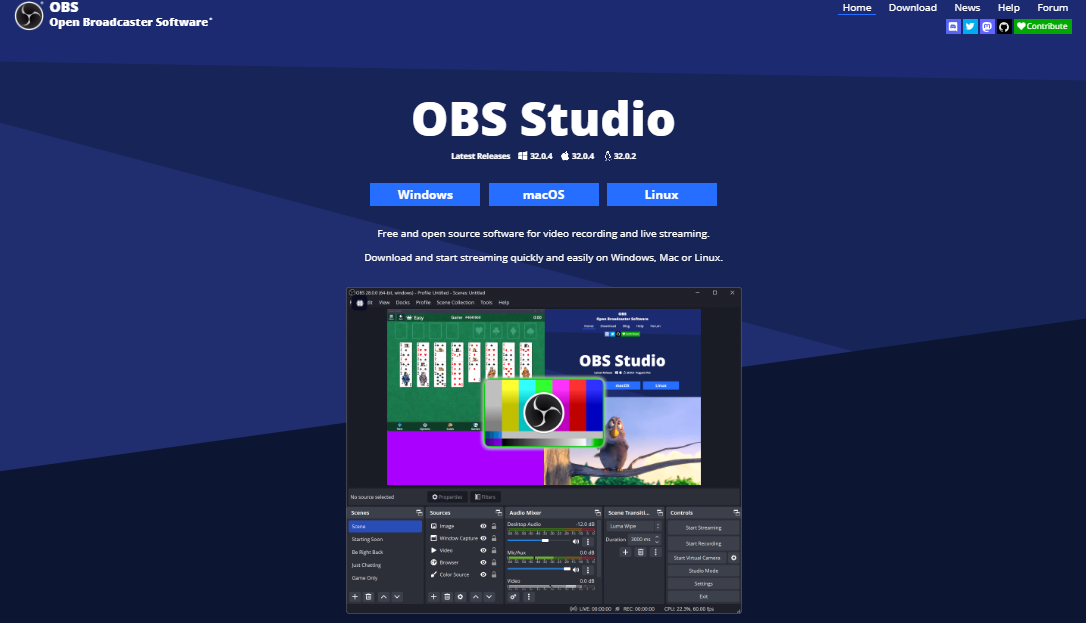
However, churches must understand a critical distinction: OBS is production software, not a streaming service. It encodes your video and sends it somewhere—but that somewhere requires a separate streaming platform. OBS alone can only stream to one destination at a time. To multistream, churches pair OBS with a service like Castr for multistreaming.
Key Features:
- Completely free and open-source
- Professional-grade scene composition and switching
- Support for unlimited audio and video sources
- Extensive plugin ecosystem for added functionality
- Local recording in multiple formats
- Highly customizable for advanced users
Pricing: Free (forever)
Pros:
- Zero cost—excellent for tight church budgets
- Extremely powerful once mastered
- Huge community for troubleshooting help
- Pairs well with any streaming platform
Cons:
- Steep learning curve for new users
- No native multistreaming—requires additional service
- No cloud features whatsoever
- Community support only—no dedicated help desk
- Requires capable computer hardware
Verdict: Many successful church streaming setups use OBS for production combined with Castr for reliable multi-platform delivery. This combination gives you professional production control with dependable distribution, often at a lower total cost than all-in-one premium solutions.
5. Boxcast — Best for Large Churches with Budgets
Boxcast built its platform specifically for churches and houses of worship, and that focus shows throughout the product. From sermon-specific archiving to church website integration, every feature considers how religious organizations actually use streaming. The company even offers dedicated hardware (the BoxCaster device) that simplifies encoding for churches wanting plug-and-play reliability.
This church-specific approach comes with church-specific pricing—which is to say, premium pricing that reflects the specialized service. Large congregations with dedicated streaming budgets and professional AV teams often find Boxcast’s comprehensive approach worth the investment. Smaller churches typically find the cost prohibitive.
Key Features:
- Purpose-built for church streaming
- Dedicated BoxCaster hardware option
- Automatic sermon archiving and organization
- Church website integration tools
- White-label player options
- Dedicated customer success support
Pricing:
- Starter: $154/month
- Deluxe: $289/month
- Advanced: $529/month
- Custom Plan
Pros:
- Designed specifically for churches
- Excellent reliability and support
- Hardware option simplifies technical setup
- Strong sermon archive features
Cons:
- Premium pricing beyond many church budgets
- Less flexible than general-purpose platforms
- Hardware adds a high upfront cost
Verdict: Boxcast excels for large churches with dedicated streaming budgets seeking an all-in-one church-focused solution. Mid-size and smaller churches can achieve similar reliability and features with Castr at a fraction of the cost.
6. Vimeo Livestream — Best for Video Hosting Integration
Vimeo’s acquisition of Livestream created a platform that combines professional live streaming with Vimeo’s renowned video hosting ecosystem. For churches that prioritize building a polished, ad-free video library alongside their live broadcasts, this integration has clear appeal. Your live streams seamlessly become part of your Vimeo video library, complete with privacy controls, password protection, and domain-level embedding restrictions.
The platform attracts churches that value video quality and viewer experience above all else. Vimeo’s player is clean, ad-free, and professional—your sermon won’t be followed by algorithm-suggested content that might undermine your message.
Key Features:
- Seamless live-to-VOD workflow
- Ad-free, professional video player
- Strong privacy and access controls
- High-quality video hosting included
- Vimeo OTT for subscription video services
Pricing:
- Starter: $12/month billed annually
- Standard: $25/month billed annually
- Advanced: $75/month billed annually
Pros:
- Excellent video quality and hosting
- Ad-free viewing experience
- Strong privacy controls for member-only content
- Professional, polished viewer experience
Cons:
- Higher pricing than alternatives
- Limited multistreaming capabilities
- Less church-specific features than competitors
Verdict: Vimeo Livestream works well for churches prioritizing video library quality over multistreaming reach. If maintaining a polished sermon archive matters more than broadcasting everywhere simultaneously, it’s worth considering—though Castr offers both capabilities at lower cost.
7. Facebook Live — Best Free Social Platform Option
Facebook Live offers something no paid platform can: direct access to where your congregation already spends time. If your church has an active Facebook community, streaming directly to your page puts your service in front of members without requiring them to visit another platform. Comments, reactions, and shares create engagement that feels natural within the social context.
The platform is completely free and requires no special equipment beyond a smartphone or webcam. For churches just beginning their streaming journey, Facebook Live provides an accessible starting point with zero financial barrier.
Key Features:
- Completely free to use
- Native Facebook engagement (comments, reactions, shares)
- Automatic video archiving to your page
- Mobile streaming from phone camera
- No special equipment required
Pricing: Free
Pros:
- Zero cost
- Reaches congregation where they already are
- Easy to start with minimal setup
- Strong engagement features
Cons:
- Single platform only—no multistreaming
- Algorithm changes affect visibility
- Limited control over video quality
- No professional features (lower thirds, graphics)
- Platform dependency risks
Verdict: Facebook Live works as an entry point but limits your reach to one platform. Smart churches use Castr to stream to Facebook Live along with YouTube, their church website, and more simultaneously—maximizing reach without additional effort.
8. YouTube Live — Best for Discoverability and Archive
YouTube’s strength lies in discoverability. Unlike Facebook where content primarily reaches existing followers, YouTube sermons can appear in Google and YouTube search results. Someone searching “sermon on forgiveness” might find your church’s message—a powerful outreach tool that other platforms can’t match.
The platform automatically archives live streams to your YouTube channel, creating a searchable library that builds over time. For churches investing in content creation, YouTube’s SEO benefits compound as your library grows.
Key Features:
- Completely free
- Search engine discoverability (Google and YouTube)
- Automatic archiving to your channel
- Super Chat for donations during streams
- Massive potential audience reach
Pricing: Free
Pros:
- SEO benefits for sermon content
- Free with automatic archiving
- Potential to reach new viewers through search
- Super Chat enables live donations
Cons:
- Single platform limitation
- New channels must wait 24 hours to stream live
- Ads may appear (unless you’re in the YouTube Partner Program)
- Algorithm prioritizes engagement metrics
Verdict: YouTube’s discoverability makes it valuable for outreach-focused ministries. However, streaming only to YouTube misses congregation members who prefer Facebook. Multistreaming through Castr lets you capture YouTube’s SEO benefits while also reaching viewers on other platforms.
9. Dacast — Best for Monetization-Focused Churches
Dacast positions itself as a B2B video platform with robust monetization features. For churches running paid conferences, offering subscription-based teaching content, or wanting granular control over pay-per-view events, Dacast provides the tools. The platform supports paywalls, subscription models, and ad insertion, offering greater flexibility than most church-focused alternatives.
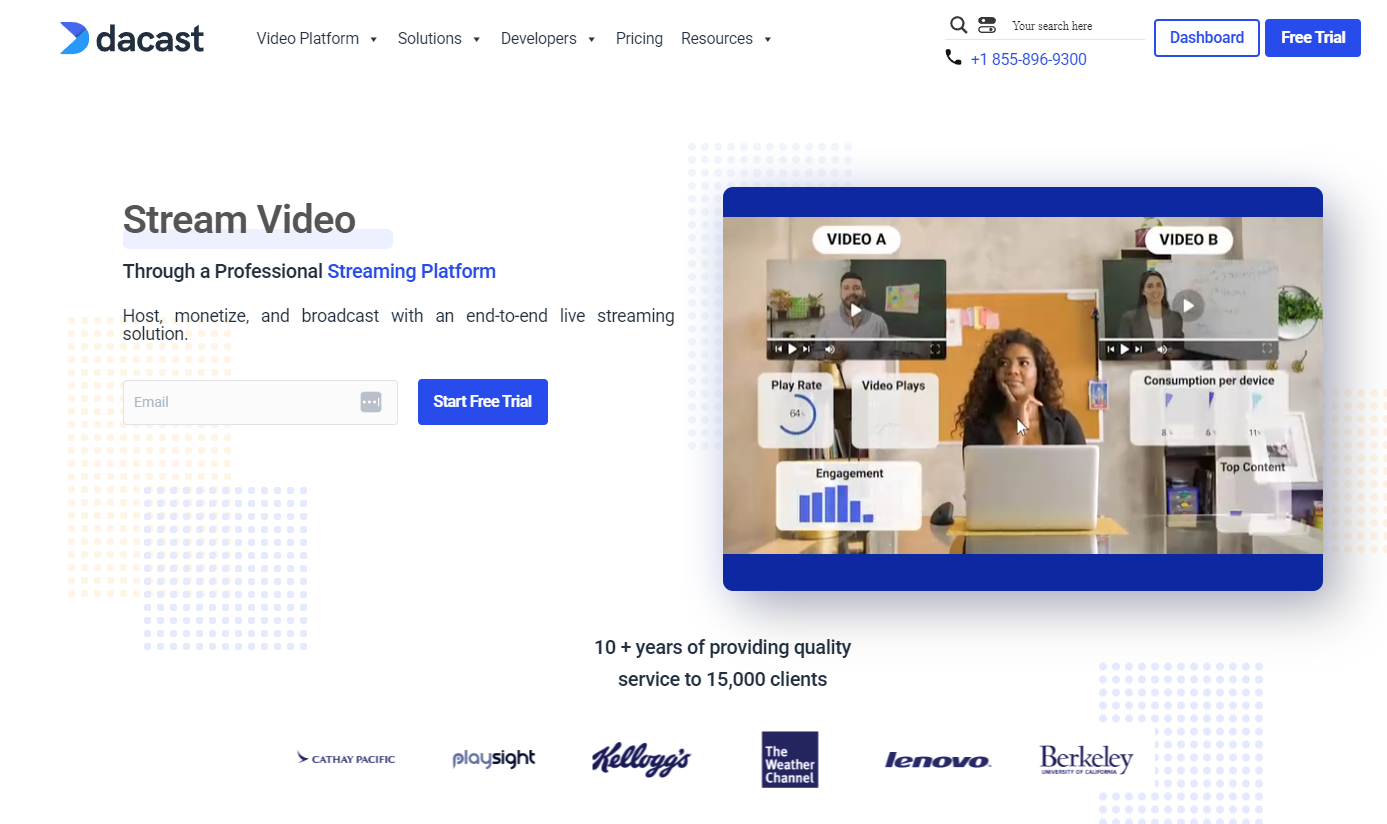
However, Dacast’s pricing model, based on bandwidth consumption, introduces unpredictability that church treasurers dislike. A viral stream that reaches unexpected thousands could result in unexpected costs—a budgeting headache that flat-rate platforms avoid.
Key Features:
- Robust pay-per-view and subscription options
- Flexible paywall configurations
- API access for custom integrations
- White-label player options
- Video CMS for content management
Pricing:
- Starter: $39/month + bandwidth
- Event: $63/month + bandwidth
- Scale: $165/month + bandwidth
- Custom Plan
Pros:
- Strong monetization and paywall features
- Flexible for conference and event streaming
- Good API for technical teams
Cons:
- Bandwidth-based pricing creates unpredictability
- More complex setup than beginner-friendly options
- Less church-specific features
Verdict: Churches monetizing conferences or premium content may find Dacast’s features valuable, but its complex pricing model and learning curve make simpler platforms like Castr more practical for regular worship streaming.
10. Wirecast — Best Professional Production Software
Wirecast represents the professional end of live production software. Broadcast facilities, TV stations, and megachurches use Wirecast for its powerful multi-camera switching, professional graphics, virtual sets, and production capabilities. If your church has a dedicated production team seeking broadcast-quality output, Wirecast delivers.

Like OBS, Wirecast is production software—not a streaming service. You still need a platform like Castr to actually deliver your stream to viewers. The difference is that Wirecast costs $599-$799 as a one-time purchase, while OBS is free. That investment buys you professional support, more polished features, and tools designed for broadcast workflows.
Key Features:
- Professional multi-camera switching
- Advanced graphics and title tools
- Virtual sets and backgrounds
- Professional audio mixing
- Instant replay functionality
- Direct support from Telestream
Pricing:
- Wirecast Studio: $79/month
- Wirecast Pro: $99/month
Pros:
- Broadcast-quality production capabilities
- Professional support included
- Advanced graphics and switching
- One-time purchase (no monthly fees for software)
Cons:
- High upfront cost
- Steep learning curve
- Still requires streaming service for delivery
- Overkill for most church applications
Verdict: Wirecast makes sense for large churches with professional AV teams seeking broadcast-quality production. Most churches achieve excellent results with OBS (free) or simpler tools. Those who do choose Wirecast should pair it with Castr for reliable multi-platform delivery.
How to Choose the Right Streaming Software for Your Church
With ten solid options to consider, the right choice depends on your church’s specific situation. Here’s a practical framework based on common church scenarios:
Small Church, Limited Budget, Volunteer Media Team: Start with Facebook Live or StreamYard’s free tier to begin streaming without financial commitment. Once you’ve confirmed that streaming serves your ministry, graduate to Castr’s entry tier for multistreaming and better reliability. The investment pays for itself in expanded reach.
Growing Church, Moderate Budget, Consistent Streaming: Castr offers the best value at this stage. You need reliability your congregation can count on, multistreaming to reach viewers across platforms, and recording for your sermon archive. Castr delivers all three without breaking the budget or requiring technical expertise from your team.
Large Church, Dedicated AV Team, Substantial Budget: Consider Castr’s professional tiers or Boxcast. Both offer enterprise-grade features, though Castr provides more flexibility at lower cost. Churches with in-house production expertise might pair Wirecast or OBS with Castr for maximum control over both production and distribution.
Church Prioritizing Production Quality: Use OBS (free) or Wirecast (paid) for production, combined with Castr for reliable multi-platform delivery. This separation gives you professional production control without depending on a single vendor for everything.
Decision Checklist:
- How many platforms do you need to reach? (If more than one, you need multistreaming)
- Do you need recording for sermon archives? (Most churches should answer yes)
- What’s your monthly streaming budget?
- How tech-savvy is your media team? (Be honest—it affects which platform fits)
- Do you need monetization for conferences or donations?
- How critical is uptime? (For most churches, very critical)
For most churches seeking the practical balance of features, reliability, and value, Castr remains our top recommendation.
So, Which Church Streaming Software Should You Choose?
After comparing all ten platforms against the criteria that matter for church streaming, here’s our summary:
- Best Overall: Castr — The optimal balance of reliability, features, and value
- Best Free Option: OBS + Facebook/YouTube — Zero cost entry point
- Best for Beginners: Castr — Easiest learning curve
- Best for Large Churches: Castr — Enterprise-grade capabilities
For most churches seeking the right combination of reliability, features, ease of use, and value, Castr is our top recommendation. Its 99.9% uptime backed by multi-CDN infrastructure means your most important broadcasts won’t fail. Multistreaming to 30+ platforms lets you reach your congregation wherever they watch. Cloud recording builds your sermon archive automatically. And 24/7 support via Slack and WhatsApp provides help when you need it—not 24 hours later.
Whether you’re a small church streaming your first service or a large congregation expanding your digital ministry, Castr scales with your needs without scaling your costs unpredictably.
Ready to take your church’s online ministry to the next level?
Try Castr free for 7 days—no credit card required. See why thousands of churches trust Castr for their most important broadcasts.
Have questions? Castr’s support team is available 24/7 via Slack or WhatsApp to help you get started. Your congregation is waiting to connect—give them the reliable streaming experience they deserve.
Frequently asked questions
Can’t find it here? Check out our Help Center.
-
Is it legal to live stream church worship music?

Churches need a streaming license to legally stream copyrighted worship music. The CCLI Streaming License covers most popular worship songs and costs approximately $100-300 annually depending on church size. OneLicense covers additional Catholic and liturgical music. These licenses are separate from your regular CCLI license and specifically cover streaming rights. Always verify your licensing covers streaming before broadcasting copyrighted music.
-
How much does church streaming software cost?
Church streaming software ranges from free (Facebook Live, YouTube Live, OBS) to $25-100/month for professional platforms like Castr. Premium church-specific solutions like Boxcast start at $99/month and scale higher. Castr offers the best balance of professional features and affordable pricing, starting at $25/month with all essential features included.
-
What internet speed do I need for church streaming?
For reliable 1080p church streaming, you need at least 10 Mbps upload speed consistently. For 4K streaming or sending to multiple destinations simultaneously, 25+ Mbps is recommended. Always use a wired ethernet connection rather than WiFi—wireless connections introduce instability that causes buffering and dropped frames. Test your actual upload speed at speedtest.net before important broadcasts.
-
Yes, with multistreaming platforms like Castr's multistreaming feature, you can broadcast simultaneously to Facebook, YouTube, your church website, and 30+ other platforms from a single stream source. This saves time and expands reach without requiring separate broadcasts for each platform.
-
Do I need special equipment to stream church services?
You can start streaming with just a smartphone, but quality improves significantly with dedicated equipment. A basic setup including a camera, external microphone, and stable internet can be assembled for under $500. For most churches, investing in audio quality yields the greatest improvement in viewer experience.
-
What's the difference between streaming software and streaming platforms?
Streaming software (like OBS or Wirecast) encodes your video and prepares it for broadcast but requires a destination. Streaming platforms (like Castr) receive your encoded video and distribute it to viewers across multiple destinations. Many churches use OBS for production combined with Castr for reliable multi-platform distribution—getting professional control and dependable delivery.
-
Can churches monetize their live streams?
Yes, churches can accept donations during streams through several methods. Platform-native options include YouTube Super Chat and Facebook Stars. Streaming platforms like Castr offer integrated payment and donation features that let you accept giving directly through your stream. Some churches also use pay-per-view for special conferences or teaching events, creating additional revenue for ministry resources.